01
Export the still from your console
Open the screenshot on the console, hide the share overlay, and move it to your phone or a USB drive. A still without the HUD reads better than one with mission markers on it.
Fan-made duo portrait
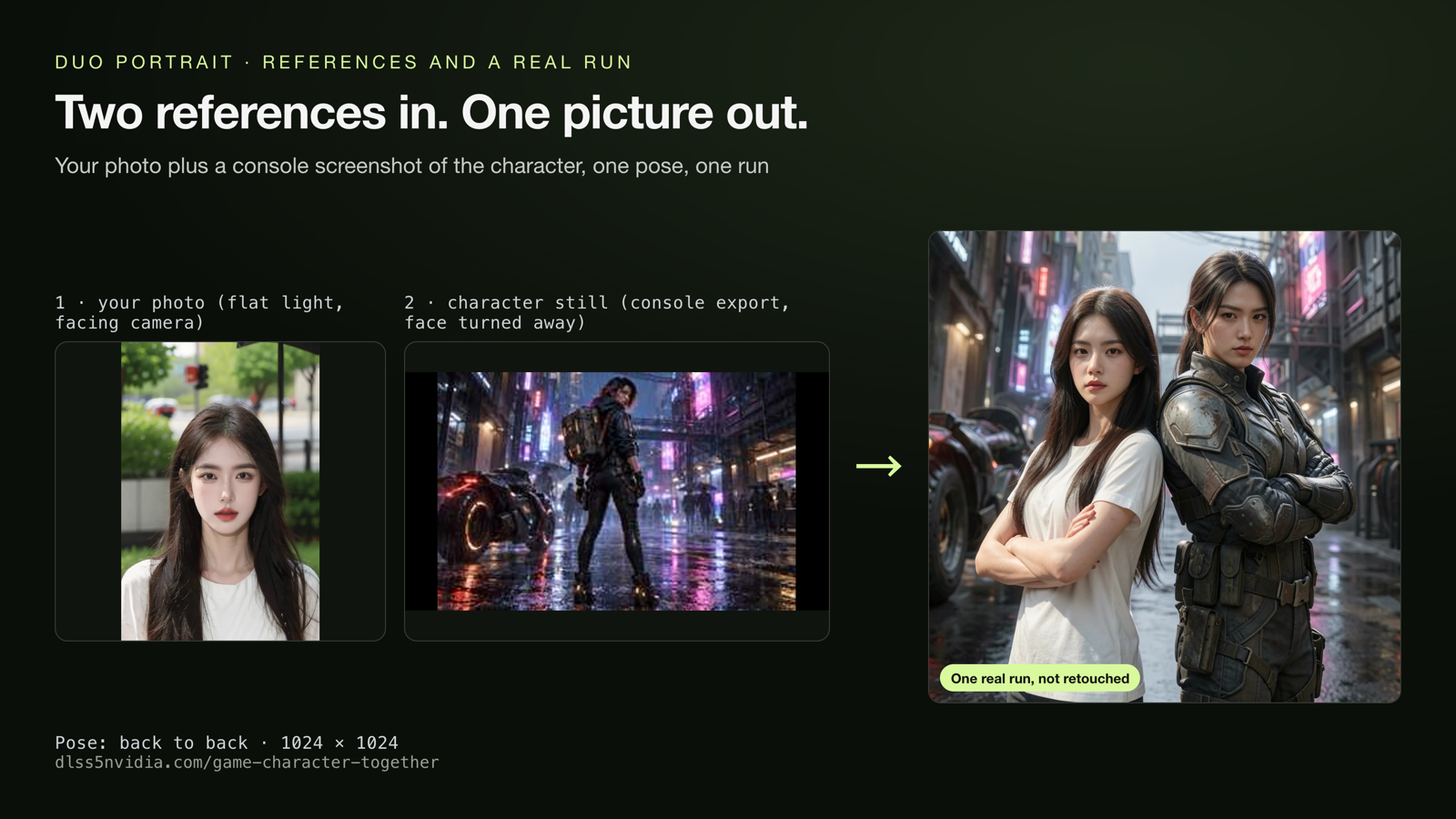
GTA VI is out on PlayStation 5 and Xbox Series X|S. There is no announced PC version, so the still you can get of Lucia, Jason or anyone else in Leonida is a console screenshot — and a screenshot is exactly the input this workflow takes. Two pictures in, one picture out: you and the character in the same frame, in a pose you choose.
Grand Theft Auto, GTA and the names of its characters are trademarks of Take-Two Interactive Software and its subsidiaries. NVIDIA and DLSS are trademarks of NVIDIA Corporation. This site is independent and unaffiliated with either.
Two images required · you first, the character second · 15–30 seconds · 1 credit per run · 1024 px long edge
01
Open the screenshot on the console, hide the share overlay, and move it to your phone or a USB drive. A still without the HUD reads better than one with mission markers on it.
02
Your own photo first, the character still second. The order is the meaning: the left figure is you, the right one is the character.
03
Shaking hands, standing side by side, hugging, or back to back. Each pose is a fixed server-side recipe, so there is no prompt to write and no wording to get wrong.
04
Compare both faces, the hands and the join between the two bodies with the references at full size. Run another pose rather than posting one you are unsure about.
The sample runs the same workflow on our own two reference photos, once, on the server — so it costs nothing and needs no account. Look at what a real run returns before you spend a credit on your own pair.
No. It is an independent generative composite built with a general image model on our own service. It is not a game feature, not endorsed by Rockstar Games or Take-Two, and not connected to NVIDIA.
Yes — that is the intended input. Export the still without the HUD and upload it as the character reference. A screenshot is a normal image file, so nothing else is needed.
The design usually carries over as a direction rather than a guarantee. Outfit, hair colour, gear and props can drift, and faces the model cannot see in the still are invented. Check the result before you post it.
Treat it as fan material. We sell the run, not the character, and the copyright in the character belongs to its owner. Selling a picture that is built around someone else's character is a decision for you and a lawyer, not something this page grants.
Each pose is its own server-side instruction and the model composes the frame for that pose. Asking for two poses in one picture produces a crowded, inconsistent result, so the tool keeps one pose and one credit per picture.
One credit per picture, and the free sample on this page costs nothing and needs no account. The dashboard shows the balance before you submit.
The duo-portrait tool this page uses (English) → · 合影工具(中文) → · Style conversion for a game frame → · Before-and-after evidence with run records →
Grand Theft Auto, GTA and the names of its characters are trademarks of Take-Two Interactive Software and its subsidiaries. NVIDIA and DLSS are trademarks of NVIDIA Corporation. This site is independent and unaffiliated with either.