Clarity
Align the same frame and inspect the net, backboard edges, and moving subjects. Watch full-speed playback for flicker.
Studio video upscaling · Test preview
Studio’s video workflow starts with an existing shot and a review of the details that matter before export. Switch between same-source outputs for neon lettering and a street scene, then inspect matched frames from a court sample. Look for clearer outlines, texture loss, and changes during motion.
All three views use the same time and crop. The standard resize uses bicubic scaling. A publishable Topaz and Studio AI comparison is still pending.
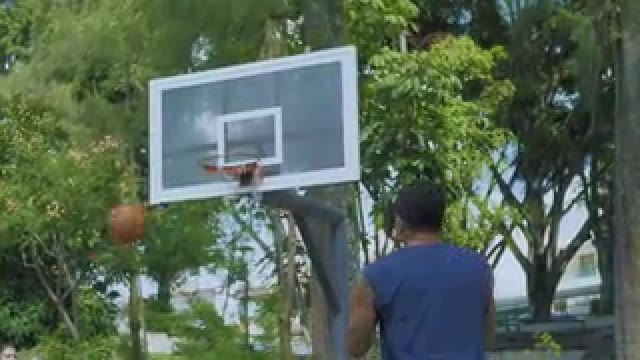
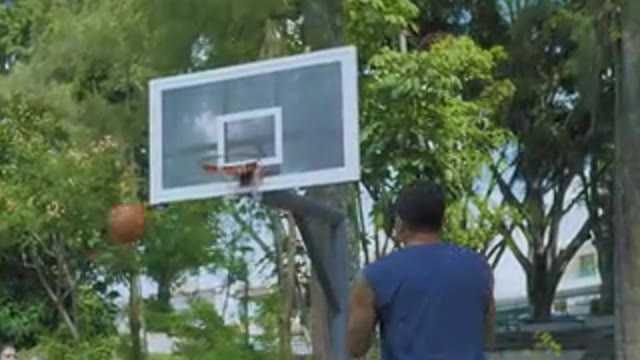
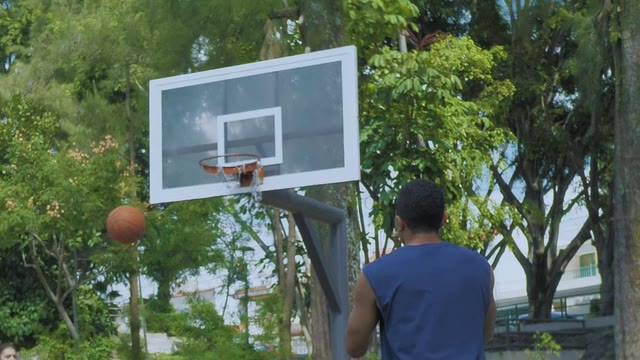
The low-res input was downsampled from the same reference. Use the actual resize export to inspect motion. Open the standard resize video · Mixkit
Windows bench test · One street scene
Real-ESRGAN makes the markings more distinct, while introducing stair-stepped diagonals and smoothing some road texture. This sample is part of candidate evaluation.
Windows bench test · High-contrast lettering
On this neon clip, the candidate separates adjacent lines more clearly than bicubic. Around the tubing, some of the original glow turns into a harder edge.

Windows bench test · Portrait close-up
From left to right: high-resolution reference, bicubic resize, and Real-ESRGAN. Watch the glasses rim and under-eye detail. The candidate sharpens the rim while smoothing some skin texture.
Align the same frame and inspect the net, backboard edges, and moving subjects. Watch full-speed playback for flicker.
Time the job from start to downloadable output. Record queueing, processing, and export separately.
Compare what a customer pays for the same delivery specification. Publish the figures with the completed comparison.
Topaz Proteus is the planned reference. Verified results and pricing will be added when the model and usage rights are confirmed. Topaz model information
Apply for the video beta and tell us what kind of footage you want to process.