When to use this tool
- Empty or unfinished rooms before a viewing
- Client previews for a renovation
- Property listings that need a furnished frame
- Comparing finishes before buying furniture
AI interior tool
Photograph a bare room — new build, shell, or simply empty — and see it finished. The render keeps the architecture exactly where it is: same walls, window position and size, doors, ceiling, floor level and camera angle, with furniture and finishes placed inside them.
1–2 images · JPG, PNG or WebP up to 10 MiB each · about a minute · 1 credit per task
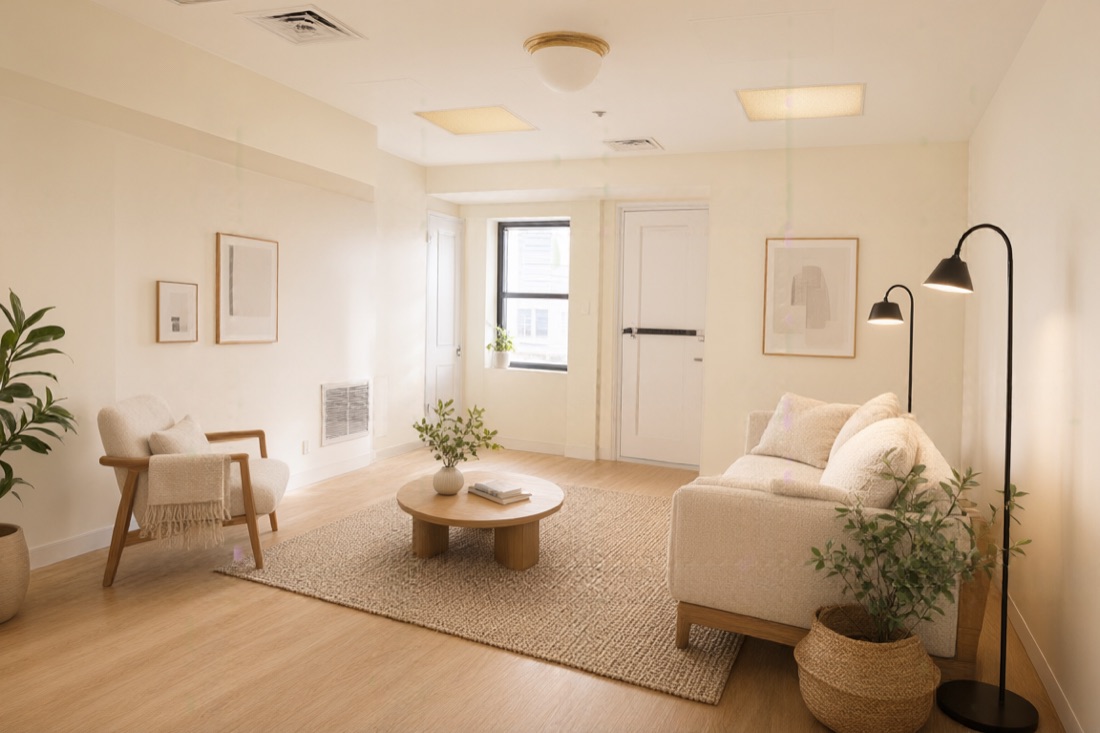
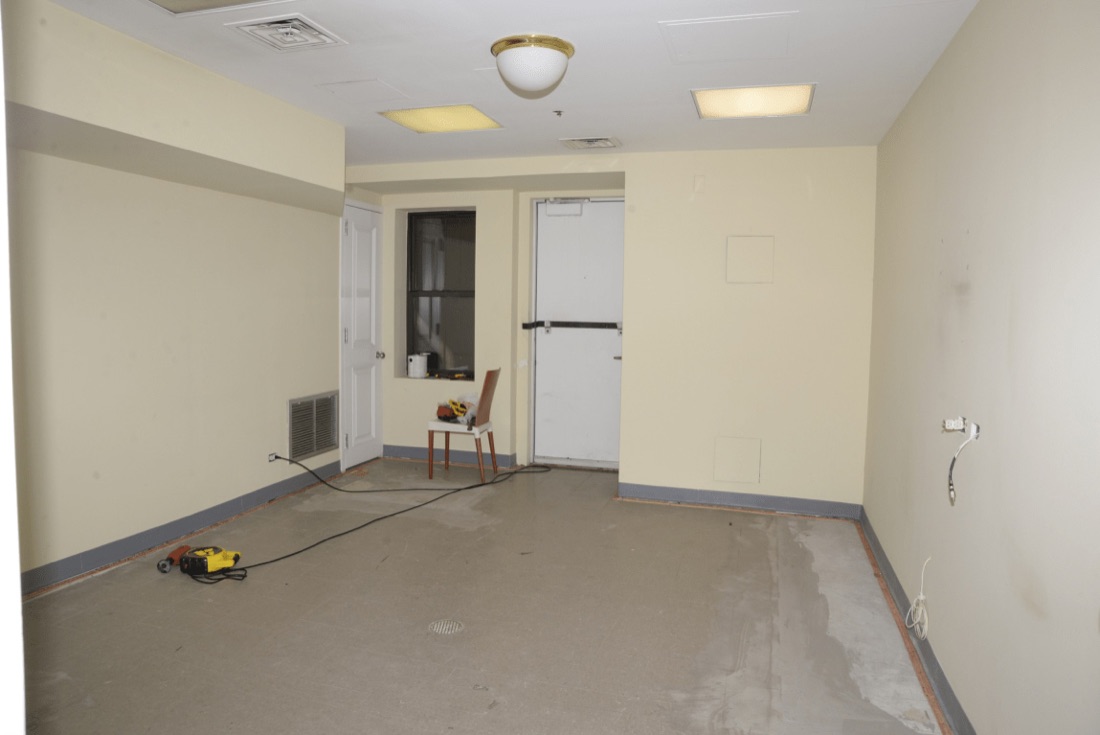
The instruction holds the architecture fixed: walls, ceiling, floor plane and level, window position and size, doors, openings, columns and beams, plus the camera position, height, angle and perspective. It is a generative render, so compare the result against the photo before you rely on a detail.
Yes, in three fixed ways: the style chooses a recipe of materials, furniture and lighting; the room type decides what is furnished; and the optional short brief lets you name a few things you want to see. A long paragraph would fight the instruction that keeps the room in place, so it is capped at 120 characters.
It is an optional style reference — a room, a palette or a material board you like. The render follows its palette, materials and mood but fits them into your room rather than copying its layout.
Yes, with a note that it is an AI visualisation. Many portals require that for a rendered interior, and it also protects you if a detail of the render does not match the real room.